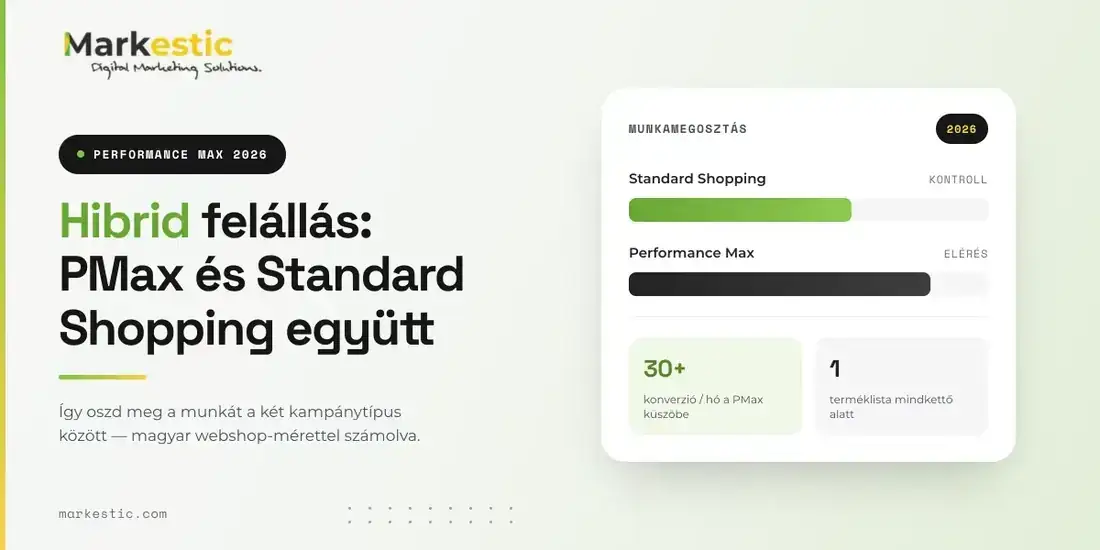
In 2026, the hybrid setup delivers the most predictable results: PMax running alongside Standard Shopping rather than stepping into its place. This article looks at how to divide the work between the two campaign types, what to watch for in your product feed, and what works differently on the Hungarian market than what you'll read in the international guides.
Why Performance Max no longer overrides Standard Shopping
At the end of 2024, Google quietly changed a setting. Previously, if both a PMax and a Standard Shopping campaign in your account bid on the same product, the system automatically gave the impression to PMax. That automatic priority is gone; today ad rank decides, meaning the campaign that brings the best combination of bid and quality for a given search wins the auction. The campaign type on its own is no longer an advantage.
It sounds like a minor technical detail. In practice, it's what made the whole hybrid approach possible. Where PMax used to automatically siphon off traffic, Standard Shopping next to it barely got any impressions, and running the two in parallel made no sense. Today the two campaign types can genuinely divide the work, because each wins where it's truly better. Your only job is to decide which set of products runs in which campaign.
Meanwhile, the market ratios have shifted. According to Tinuiti's Q1 2026 benchmark report, Performance Max accounted for 67 percent of Google Shopping spend among advertisers running both campaign types, and its return was marginally better than Standard Shopping's. The sample consists mostly of large-spending US advertisers whose conversion volume is orders of magnitude higher than a Hungarian webshop's. Either way, the bulk of the market stopped choosing between the two long ago. The only relevant question is which campaign gets which traffic. The system looks at the number and value of conversions, not the margin behind them, and a cheaper impression doesn't in itself mean a better return.
How to divide the work between the two campaign types
The logic is simple. Standard Shopping gives you control and visibility: you see the search terms, you set bids product by product, and you know exactly where the money went. Performance Max, in return, gives you greater reach, from a single campaign across Search, Shopping, YouTube, Display, Gmail, Discover and Maps. The two are built for different jobs, which is exactly why they aren't competitors. One serves existing demand at a predictable cost, the other looks for buyers you don't yet know exist.
The structure that has worked best in most e-commerce accounts is the one that mirrors this division of roles. Standard Shopping campaigns carry the products that form the backbone of your revenue and your main categories, with a target ROAS, meaning a defined return expectation, and with manual points of intervention. Alongside them, a Performance Max campaign works on winning new customers, with audience signals built on your own data and in-market audiences. Searches coming in on your brand name are kept away from PMax by brand exclusions, so your own branded search campaign handles them.
Campaign-level negative keywords have been available to every advertiser since January 2025 in PMax, and since March 2025 the limit has been 10,000 keywords. Maintaining negative keywords is the fastest-paying half hour in your account. Filtering out terms like "free", "cheap" and "used", competitors' brand names, and purely informational searches instantly reshapes where the budget goes. Meanwhile, the number of search themes you can set per asset group has grown from 25 to 50, so you have more room to steer as well.
One thing to be careful with, though. Segmentation is useful; overdone splitting is harmful. If you spread your conversions across five or six campaigns, none of them collects enough data to learn from, and each one will perform unreliably. On the Hungarian market this is a particularly real risk, because monthly conversion counts here are typically a fraction of what the international case studies work with. Aim for as much segmentation as is strategically justified, and as many conversions per campaign as the system can still work from. If you're unsure, fewer campaigns is the safer choice.
When PMax isn't worth it on the Hungarian market
There's a threshold below which it isn't worth launching PMax. As a practical rule of thumb, that's 30 conversions a month: below this the system doesn't have enough signal to optimize, and performance bounces from week to week. Google doesn't officially publish such a limit; this is a practical observation seen again and again in accounts, so check it against your own data. A great many Hungarian webshops sit right below this level, especially in more expensive, less frequently purchased product ranges.
If your account belongs here, Standard Shopping with a target ROAS gives you a more predictable path. Meanwhile the conversion history builds up, which PMax can lean on later. You see the whole way through what search brought the buyer in, and which product drives the revenue. PMax comes when the data density can bear it. It doesn't work in reverse: you can't put automation on top of data that isn't there yet. For a seasonal business, it's worth looking at peak-season conversions separately, because the volume of the summer or Christmas months can easily convince you the account is ready, when in February the same campaign is left without signal.
On the domestic market, 30 to 40 conversions a month is the watershed; below this the PMax algorithm doesn't get enough signal, and the campaign will fluctuate heavily. The account is ready to switch when the cost per conversion (CPA) and ROAS have been stable for at least a month (here too, factor in any seasonality).
The Hungarian Shopping reality has one element the international articles don't even mention: price comparison sites. Árukereső is a standalone traffic channel here, with its own logic and its own price competition. If your product is poorly positioned there or missing entirely, your Google Shopping performance on its own gives a misleading picture of your market position. The two surfaces reach the same buyer at two different moments. This has a very practical consequence. Someone needs to look at the two channels together when you set prices, otherwise the weak conversion rate you see in the PMax report is actually hiding a price-positioning problem.
The other such element is CSS. You can run your Shopping ads through Google's own comparison service or through a CSS partner, and this choice directly affects your bidding conditions. The same product, the same feed, a different cost structure. For a webshop working on thin margins, this difference can be material to your return, so look into it before you start optimizing your campaign structure. How much the bidding advantage is worth in practice depends on the category and the competitive situation, so quantify it before you decide.
Most of it comes down to the product feed, in Hungarian too
Most advertisers look for the improvement in the campaign settings, when in our experience the bigger reserve is almost always in the product feed. PMax works from the Merchant Center when it serves a Shopping impression, so the quality of the feed sets what the system has to work with at all. With weak product names, generic descriptions and missing attributes, even the best-built campaign structure won't deliver results. Here the work you invest pays off in your Standard Shopping and your Performance Max campaign at the same time, so its return is doubled too.
A good product name uses the language the buyer searches in, not the label from your internal item list. Brand, product type, the main attribute that drives the decision, size or packaging. Don't decide the exact order from assumption. The Google Ads search terms report and Search Console show you how your buyers actually type. In many categories they start with the product type and put the brand after it.
Machine translation deserves special attention. With international webshops it's common for the Hungarian feed to be the result of machine translation, and product names end up with phrases that no one in Hungarian would ever type into a search box. That makes it harder for the system to match the product to real searches, and your ad doesn't even show up where it would otherwise be competitive. Keep the description factual: what the product does, who it's for, what it's made of or what size it is. A slogan has no place there.
A common mistake, for instance, is when webshops pull product names straight from the CMS into the Merchant Center without any changes. This is how you get product names like "XYZ 18V-55 carton", from which neither Google nor the buyer can tell what it actually is.
Handling your margin belongs here too. Google sees the conversion value, not the margin behind it: two orders of equal value arrive as the same number, even if you earn 40 percent on one and 5 percent on the other. If your catalog has a few high-traffic, low-margin products, the algorithm will sooner or later steer the budget toward them, and everything will look fine in the report while the P&L doesn't improve. Use custom labels to split the catalog into margin bands, and keep the products you barely earn on away from PMax. With a large catalog this is ongoing work, not a one-time setting.
Asset groups and audience signals: this is where the most money slips away
A poorly filled asset group is the most common underperformance pattern you'll come across in PMax accounts. The system builds the ads from the headlines, descriptions, images and videos you provide. Few and generic raw materials can only produce few and generic combinations. A single asset group for your entire catalog is almost certainly too little, so it's worth splitting by product category or by audience segment. The channel matters too, because the same creative doesn't work the same way in a pre-roll YouTube ad as in a Gmail placement. The system handles the distribution, but the ceiling is set by what you upload to it.
Always add a video. If you don't provide your own, the system generates one from the other assets, which is usually weaker than what you could upload. Production cost is no longer an excuse: video can be created within the Google Ads interface itself, and the per-asset-group video limit has grown from 5 to 15, a change that reached accounts over the course of 2026. A photo showing real-life use usually performs better at the start of the buyer journey than a white-background product shot. And with your headlines, don't just state the specs, say what the buyer gains from it.
The audience signal is the other misunderstood element. Many people set it as targeting and then forget it. The signal is a direction marker. With it you tell Google what a good buyer of yours looks like, so it can find more like them. The system isn't confined to this group, it uses it as a starting point. So the goal is to give it the best patterns, not to narrow with them. It follows that an outdated list uploaded two years ago misleads the campaign, because it shows it a buyer profile that no longer matches your real customer base.
In e-commerce this specifically means that your past buyers' Customer Match list goes in first, then website visitors showing meaningful engagement, and only after that the in-market audiences. The latter widens the circle, but is imprecise on its own: good as a supplement, not as a base. And there's one mistake worth consciously avoiding. Don't tighten your target ROAS too early. An aggressive target value during the learning phase can drastically hold back the conversion count, and climbing back from there is slower than waiting it out.
What to check in the reports in 2026
PMax reporting has improved a lot, but the interpretation is still up to you. The search terms report is available among the campaign's insights, and in a source column it shows which channel or which asset group the query came from. Keep one thing in mind. Both your Shopping and your text ad can bring traffic for the same term, so segment by ad format before you draw a conclusion. It's worth using the report for two things. You pick negative keywords from it, and it lets you see the real search intent.
The channel breakdown is more of a diagnostic tool than a performance metric. If most of your spend goes to Display while Shopping barely gets any, that's not Display's fault. It almost always traces back to the quality of the product feed or the asset groups. The asset-group breakdown reveals which creative combination brings the conversion value, and from there the decision is simple. Swap out the poorly performing elements, and don't touch the good ones unnecessarily, because constantly swapping creatives sets learning back just as much as rewriting the settings every week.
The uplift experiment lets PMax run on half of the traffic and turns it off on the other half, then compares the results of the two groups. This is how you find out how much revenue the campaign brings beyond what the account's other campaigns could have brought anyway. The feature was available earlier too, and if such an experiment hasn't run in your account yet, put it in the calendar. The 2026 package added asset-level A/B testing alongside it, an in-campaign budget report for forecasting monthly spend, a placement report broken down by network, an audience report by age and gender, and audience exclusions based on your own data. It's worth looking at these together with the summer bidding changes, because they point in the same direction.
One new overlap, though, needs attention right now. AI Max for Search's expanded matching competes for the same search impression inventory that your Performance Max campaign works on too. If you run both, add your main keywords as negatives in PMax, use search themes to steer it toward queries your search campaign doesn't cover, and compare the queries from the two reports every month. The overlap won't resolve itself, and bidding against yourself only benefits Google.
A webshop leader needs to get answers to the following questions from their team or their agency:
- How many conversions does our PMax campaign bring per month, and is that enough for stable optimization?
- How much of our PMax spend goes to branded searches, and is brand exclusion set up?
- When did someone last review the Hungarian text of the product names and descriptions in the feed?
- Which products do we actually earn on, and are they getting the larger share of the budget?
- Have we already measured, with an uplift experiment, how much extra PMax adds compared to the other campaigns?
The next step
In 2026, what separates well-run accounts from badly run ones isn't whether PMax is switched on. What separates them is whether someone regularly looks at it, steers it, and tells it what matters for the business. The system amplifies what it's given. A strong product feed and a clean structure turn into strong results; weak raw material turns into expensive impressions.
If a single campaign runs everything in your account, or your product feed has been unchanged for years, an audit will show you where the reserve is within a few hours. The Markestic team reviews your Shopping and PMax structure, your feed and your CSS setup, and gives you a concrete recommendation on what Standard Shopping should carry, what PMax should carry, and what not to touch. Ask us for an audit, and the decision stays in your hands.